Sales Management Software: From Enquiry to Payment
N
Namrata
Author
Published: 27 Nov 2026
Last Updated: 27 Nov 2026
Approx. Read Time: 10 mins
Quick Verdict: A connected sales cycle brings together the customer enquiry, quote, inventory, invoicing and payment stages into one smooth business process.
Closing a sale doesn’t mean the job's finished. There's still the order to fill, the invoice to issue correctly, the payment to collect and the customer relationship to maintain.
The issue arises when different departments are using different software. Info gets passed manually around and people spend a lot of time checking the records that other teams have.
This becomes a real issue for UAE based businesses with multiple branches, multiple warehouses and multiple customer accounts.
These are all integrated via the linking of the CRM and ERP application. Everyone in the business has the same information and management can essentially follow the transaction from inception to finish without having to chase around for individual reports.
Quick Answer
Integrate your CRM, your ERP, your inventory and your accounting software and you can track the entire sales cycle without having to re-enter any data at all. You can go from logging a customer enquiry through to creating a quote, checking inventory, sending out an invoice, collecting the payment and so on and all the departments are kept in the loop. That results in fewer errors, quicker transactions and better customer relationships.
The cost of a disconnected sales cycle
Fact: Simply because a sale is recorded in your CRM doesn’t mean the products are actually available or that the payment has in fact been received.
A lot of businesses still deal with customer queries in spreadsheets, create quotes manually and keep their accounts in a completely separate system. Each department has its own version of the transaction
The financial impact is often completely ignored.
Stock overselling: Sales representatives selling orders they don't have.
Billing errors: these arise as a result of the manual transfer of prices, quantities and discounts.
Late payments: The finance team either gets the wrong information or sends out the invoice late.
Same data: Employees entering the same customer and transaction data multiple times across different applications.
No customer visibility at all for the sales team: They can't see what the outstanding balances are, what the delivery status is or what the customer has bought in the past.
Cost of fixing these issues: Staff spend work hours chasing down invoices, calling warehouses and dealing with customer complaints.
The people in the business could well be very good. The problem they don't have is a real link between their activities.
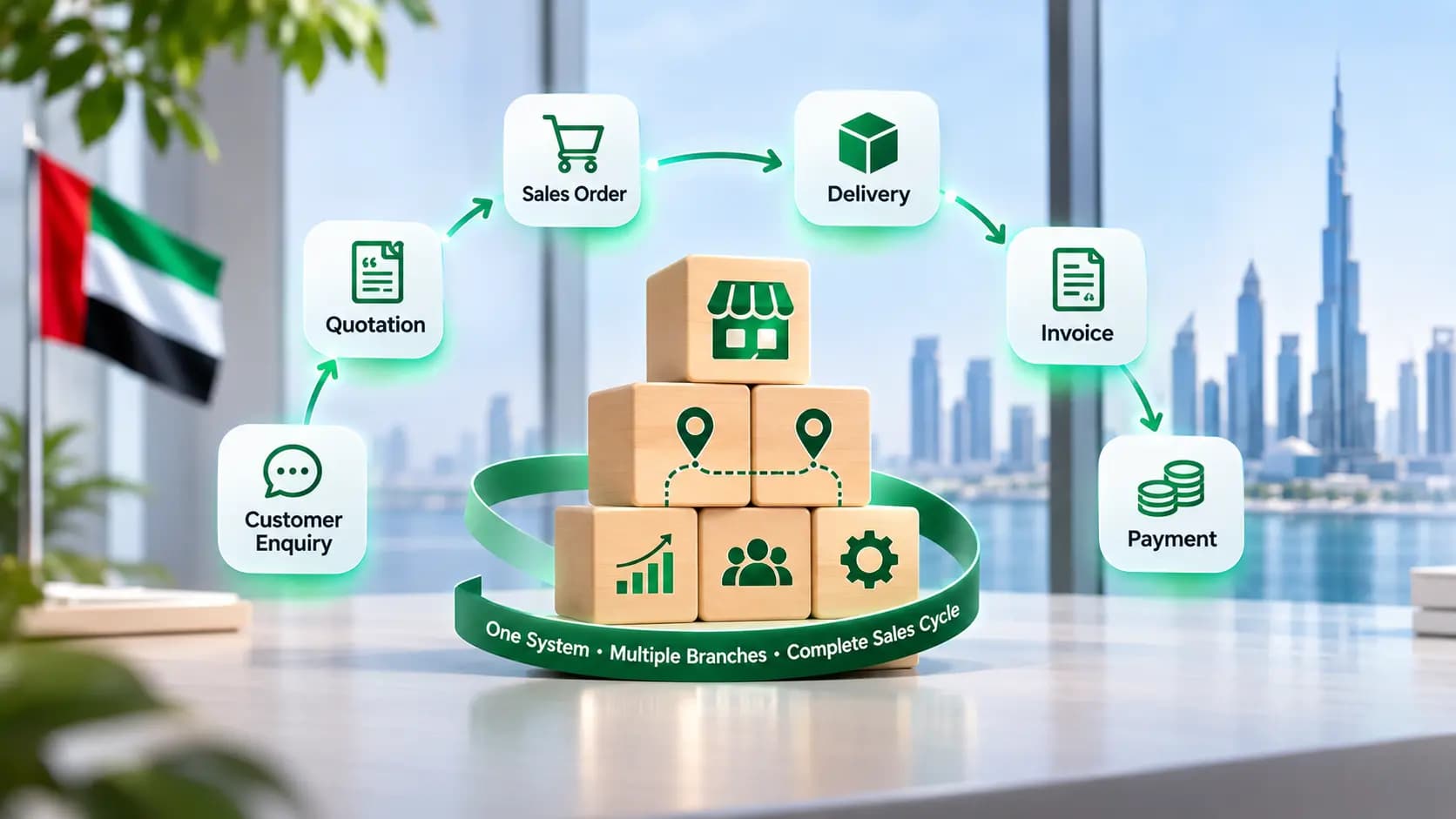
The Sales Cycle, Step by Step: What Software Goes Where
Fact: CRM is customer relationship management. ERP is the system that brings together the operational and financial activities that occur behind every sale.
Step 1: Customer enquiry and lead capture in CRM
Main function: Centralised management of customer information and leads.
The sales cycle commences when a prospective customer gets in touch with the business, via website, email or phone.
CRM software picks up the enquiries from the various linked channels as well as from manual entry. Sales managers can then assign the leads to representatives on the basis of territory, product need or availability.
Lead scoring helps representatives to prioritise the opportunities that are most likely to convert.
The history of the communications, the customer's needs and the planned follow ups are all still there so there's a much lower risk of an opportunity being lost simply because the representative is busy.
Step 2: Sales Order & Quotation
Key Function: To generate accurate quotations from existing business records.
The sales representative will put together a quote once the customer has indicated interest. The system is fully integrated so it will pull the product descriptions, pricing, customer data and available discounts straight from the ERP.
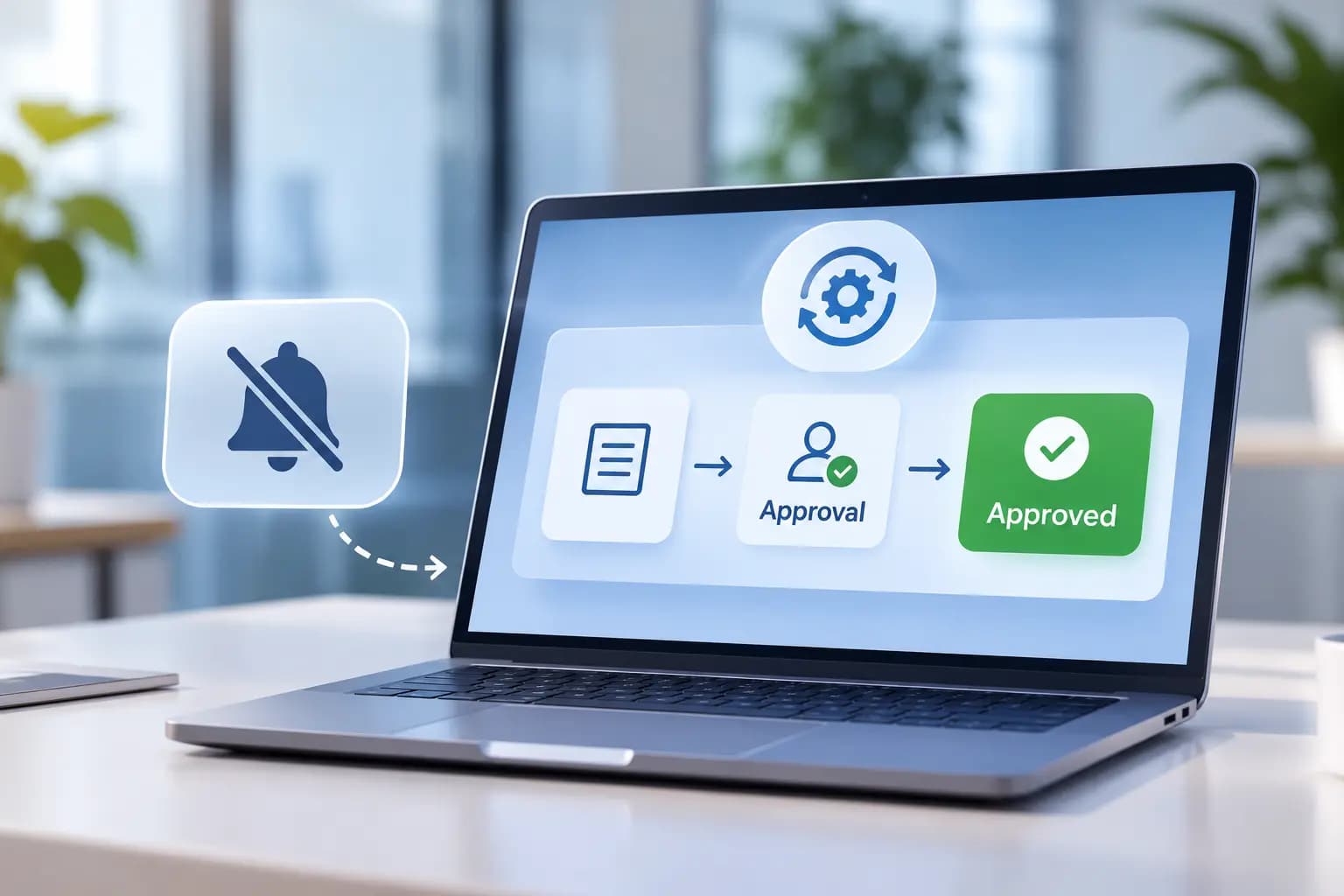
Approval workflows can be used to stop unauthorised discounts or price changes.
In systems that are appropriately configured the quotation can then be converted with a single action into a sales order upon customer acceptance. The employee doesn't have to re-enter the transaction and the original commercial terms are still there.
Step 3: Stock check and fulfillment
Key Role: Link were confirmed to have sales linked to warehouse operations.
The inventory module checks the sales order against stock on hand. Depending on the configuration the quantities will be automatically reserved and therefore not available to be allocated to any other customer.
Reorder alerts alert the purchasing team when stock gets below a set level.
Picking and packing instructions are issued to warehouse staff. Sales representatives can see the dispatch updates. For companies with multiple warehouses they can also see other locations for the stock prior to committing to a delivery date.
Step 4: Bookkeeping and Invoicing
Key role: Taking the completed sales and turning them into the correct financial records.
Invoice creation can be done from either a sales order or a delivery document. The customer details, quantities, agreed prices and the applicable UAE VAT are all carried forward automatically.
The accounting module will generate the associated receivable, revenue and tax entries in accordance with the defined accounting rules.
Finance staff can view the transactions without having to re-type everything. Businesses should also check that their software is compliant with the UAE’s relevant electronic invoicing requirements.
Step 5: Collecting Payments and Reconciling
Key role: To close the transaction and update the customer records.
Accounting software will track the unpaid invoices, the due dates and the partial payments. You can make collections a lot easier with automated reminders and the ability to have links directly into the online payment system.
Bank feeds and matching rules are used to reconcile the payments received against the invoices. There may be some exceptions which will need to be looked at manually.
The payment status can be viewed in the relevant customer record. Sales representatives can check the purchase history and outstanding balance prior to contacting the customer for a repeat order or further credit.
Key benefits of CRM, Sales, Inventory and Accounting integration
Verdict: it enables the flow of information as well as the flow of goods and money.
More concise quote-to-cash cycle
There are fewer manual handovers for quotations, order processing, dispatch and invoicing. That in turn can allow a business to issue an invoice more quickly and potentially get paid more quickly by removing those unnecessary admin handovers.
Less Repetition and Mistakes
Customer and transaction records get passed from department to department. People spend less time going through the trouble of fixing up the inconsistencies that arise when you're copying information from one system into another.
Improved visibility of inventory and cash flow
Management can track inventory on hand, orders confirmed, receivables outstanding and collections expected. That enables them to make purchasing decisions without losing sight of the commitments they already have.
Better customer experience
Sales representatives can answer questions about deliveries, invoices and previous orders without having to go and check with other departments all the time. The follow ups are more relevant as the representative will have the customer’s transaction history.
More Dependable Business Forecasting
By linking the records you can compare the sales pipeline against actual orders, inventory requirements and payment patterns. When you incorporate operational capacity and financial performance the forecast becomes much more meaningful.
How to choose the right integrated software?
Fact: Buying a number of applications from one vendor doesn't guarantee you'll have effective integration.
Before you go looking at CRM or ERP software, you need to think about how the information actually moves between the modules.
Native integration versus third party connectors: Native modules generally run within the same database/application environment. Third party connectors are more flexible but can lead to sync delays, increased maintenance and potentially higher subscription costs.
Scalability and customisation: Understand how the software can cope with more branches, more warehouses, more users, more complex approval hierarchies and evolving business processes.
Local tax and compliance: The software must be able to perform UAE VAT calculations, issue tax invoices and credit notes and meet the relevant reporting requirements. It must also be able to meet the applicable electronic invoicing requirements.
Ease of use and training: Staff should be able to carry out the normal day to day transactions without too much technical assistance. Practical training is obviously key, especially given the way departments have worked in silos in the past.
Vendor support and total cost: Apart from the initial software price you'll need to factor in implementation, data migration, customisation, connector subscriptions, annual renewals and ongoing technical support.
Conclusion
FINAL VERDICT: The sales cycle is complete when the order has been filled, the payment has been received and the transaction has been properly recorded.
The integration of CRM and ERP enables UAE businesses to be in complete control of the process from the very first interaction with the customer right through to the final payment.
The aim is not necessarily to replace every app out there. It's about eliminating the gaps that exist between the various departments and ensuring that information is reliably shared.
Those businesses that can do it can cope with a vastly increased volume of transactions without incurring a corresponding huge administrative overhead. Their staff can spend more time with the customers, selling and making the business decisions.
FAQs
What are the stages in a sales cycle?
A standard sales cycle is typically: customer enquiry, lead qualification, quotation, order confirmation, stock allocation, delivery, invoicing and payment collection. There's an integrated software solution which ties all of those stages together so that as the transaction moves from one stage to the next the information doesn't get lost.
Is CRM software adequate for the whole sales cycle?
Not necessarily. CRM is all about lead management, customer interactions and sales opportunities. You still need the inventory and the accounting bits to know what you've got in stock, to be able to fill orders, to invoice and to collect payment. CRM and ERP integration is what makes the whole transaction easy to manage.
How does the integrated software stop over-selling stock?
Your sales team can check what stock is available prior to committing to a customer. Once an order is confirmed the software can then go on to plan the right quantities. This is particularly useful for those businesses that have multiple sales representatives selling out of the same warehouse.
How does automating the sales cycle help a business to get paid faster?
There can be a huge amount of time between the order being delivered and the invoice actually being issued. Automation helps to eliminate that. The finance team can also monitor their overdue invoices, send out payment reminders and track partial payments all without the need for separate spreadsheets.
Is the integrated sales software compliant with UAE VAT and e-invoicing?
Yes, as long as the software is in compliance with the relevant UAE regulatory requirements. The software should have the capability to perform automated VAT calculations, generate tax invoices and credit notes and where applicable be able to interface with an Accredited Service Provider (ASP) for e-invoicing.
Will I be obliged to replace my existing software in order to get the full sales cycle?
Not always. If you have existing applications that make it possible for reliable integrations you might be able to hook them up without replacing everything. But if data sync is unreliable or if staff are still having to input the same information over and over, then moving to an integrated ERP platform might be more financially viable.
Related Articles
Explore more insights, ideas, and practical knowledge from our latest writings.
We work with our global presence and keep our advice practical, response times reasonable, and provide solutions that are aligned with the way local companies operate each day.
Market Context
Deep knowledge of UAE rules and expectations.
Trusted Network
Working connections across businesses, sectors, and communities.
Local Assistance
We have a local team that answers clearly when something genuinely needs attention.
UAE Presence
Our team works from the UAE, supporting companies that keep its economy moving.