



Market Context
Deep knowledge of UAE rules and expectations.
Offer QuickBooks password recovery services, which can be valuable for individuals or businesses that have forgotten their QuickBooks login credentials. Password recovery services help users regain access to their QuickBooks accounts and critical financial data when they are locked out due to forgotten passwords.


1.2k+
Reviews
4.9
Stars

As a customer of penieltech LLC, I can't say enough good things about their technical support and overall service. Whenever I've run into issues or had questions, their support team has been incredibly responsive and knowledgeable. They don't just solve problems; they ensure I fully understand the solution and offer guidance to prevent similar issues in the future.

Penieltech has been an incredible partner in our digital transformation journey. Their software solutions are top-notch and tailored to meet our specific business needs. The customer support team is always available and goes above and beyond to resolve any issues. Their staff is knowledgeable, friendly, and highly professional. I highly recommend penieltech to any business looking for reliable software solutions.

We purchased accounting software from Peniel Technology in 2022 and renewed TSS also. I am extremely satisfied with their support and services. Thank you, team!"

I had an excellent experience with the software installation service! The team was incredibly professional, knowledgeable, and efficient. They guided me through the entire process, ensuring that everything was set up perfectly and tailored to my needs

Peniel Technology provides outstanding support! Their team is always available, prompt, and highly competent. They handle issues quickly and with a warm, professional touch, ensuring a smooth experience every time.

I am incredibly impressed with the service provided by Peniel Technology. The technical team is highly responsible and resolves issues very quickly. I’d like to give a special thanks to customer executive Ms. Kezia for her prompt and professional response. For anyone seeking software solutions, I highly recommend Peniel Technology!

I had the pleasure of working with Peniel Technolodg and I can confidently say they exceeded my expectations in every way. From the initial consultation to the final implementation of our IT solutions, their team displayed unmatched professionalism, technical expertise, and a genuine commitment to solving our business challenges.

The service was quick, professional, and exceeded my expectations. Highly recommend!

Very supportive team.. Appreciate their quick response and professionality. If looking for quickbooks support UAE.. they are the best

Mr. David was a lifesaver! I was having a major issue with my QuickBooks file and was completely lost. He was incredibly patient and knowledgeable. He walked me through the solution step-by-step and explained everything clearly.
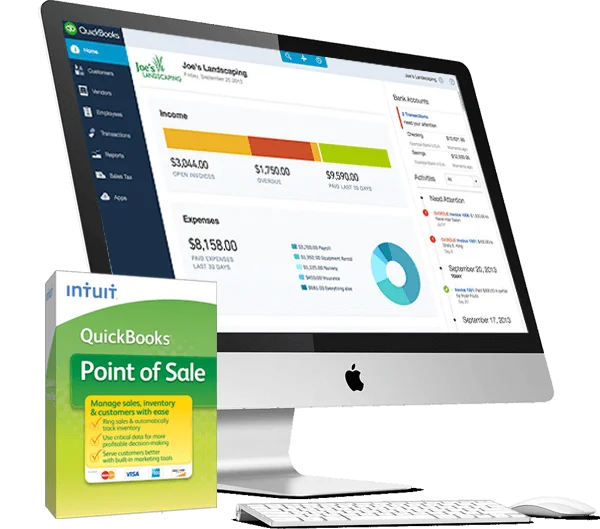
On the QuickBooks Login screen, enter in Admin as the User Name, leave the Password field blank, and click I forgot my password. If you created a Challenge Question, then you will be prompted to answer your question for a quick and easy QB admin password reset.
* Step 1. Open QuickBooks Self-Employed in a web browser
* Step 2. Select the Gear icon at the top
* Step 3. Select Profile
* Step 4. Select Edit next to Password
* Step 5. Follow the rest of the instructions to change your password
* Step 1. Click this link: https://help.quickbooks.intuit.com/en_US/contact.
* Step 2. Then, choose QuickBooks Desktop as the product and then select its version.
* Step 3. Choose Search for something else and then enter your concern about resetting your password
* Step 4. Click Search
* Step 5. Scroll down until you'll have the option to Start a message
You can remove the password if you no longer want or need it. Log in to QuickBooks Pro as you usually would and click on "Company" in the menu bar. Enter the existing password in the "Change QuickBooks Password" window. Leave the "New Password" and "Confirm Password" fields blank.
Choose Company > Set up Users and Passwords > Set Up Users. In the User List window, select Admin and click Edit User. Enter the name of the person who will be the administrator.
(Optional) Enter a password in the Administrator's Password field. Enter the password again in the Confirm Password field.
* Step 1. At first, open the company files then select the Company > Set Up Users and Password.
* Step 2. Enter your current password in the current password field
* Step 3. Now, you need to enter the new password in the Confirm new password field
* Step 4. Click OK
* Step 5. You have forgotten or lost your password.

We work with our global presence and keep our advice practical, response times reasonable, and provide solutions that are aligned with the way local companies operate each day.
Deep knowledge of UAE rules and expectations.
Working connections across businesses, sectors, and communities.
We have a local team that answers clearly when something genuinely needs attention.
Our team works from the UAE, supporting companies that keep its economy moving.