
Market Context
Deep knowledge of UAE rules and expectations.
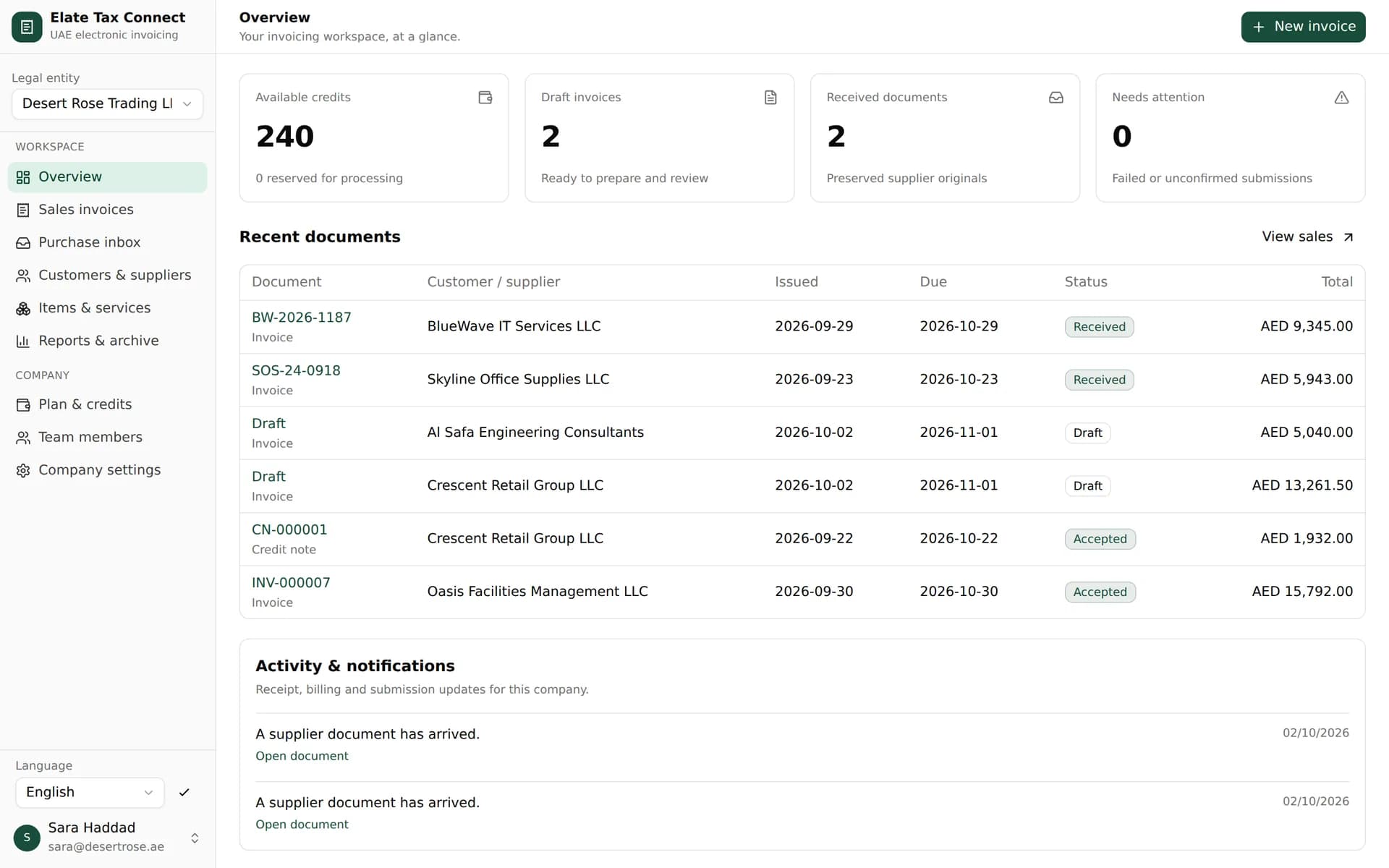
Elate Tax Connect checks each invoice against the UAE's PINT-AE rules, sends it through your accredited service provider and records acceptance, delivery and FTA reporting on the invoice itself. Supplier invoices arrive in the same place.
Tap a stop to see what happens there.
Sales lineخط المبيعات
Purchase lineخط المشتريات
Set up and supported by Penieltech in Dubai
4.9 Google rating from 1,200 reviews14,000+ UAE businesses served
The same team implements the accounting software you may already use






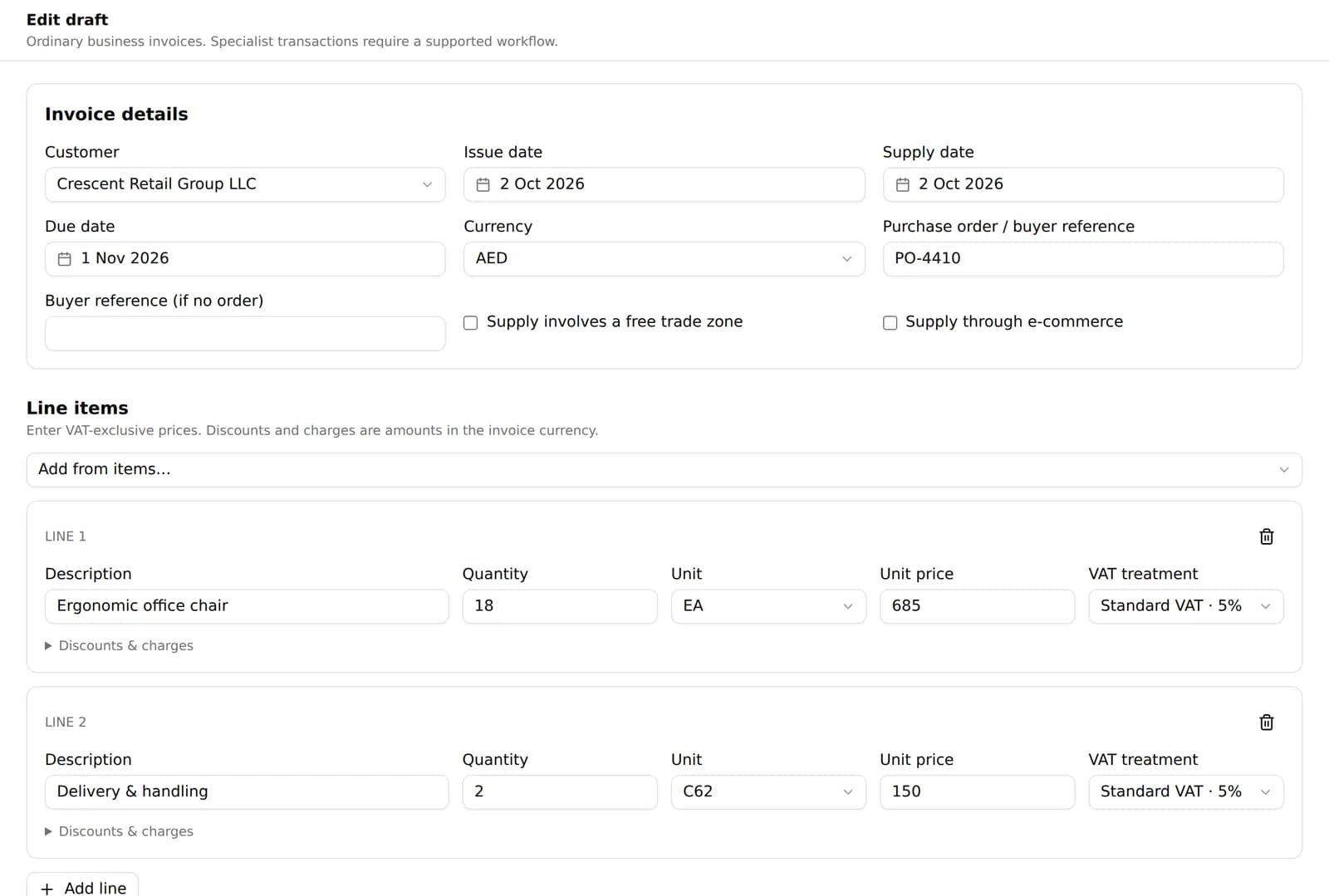
Pick a saved customer and items, or bring invoices in from the system you already use. Tax Connect calculates VAT line by line and keeps the totals in AED.
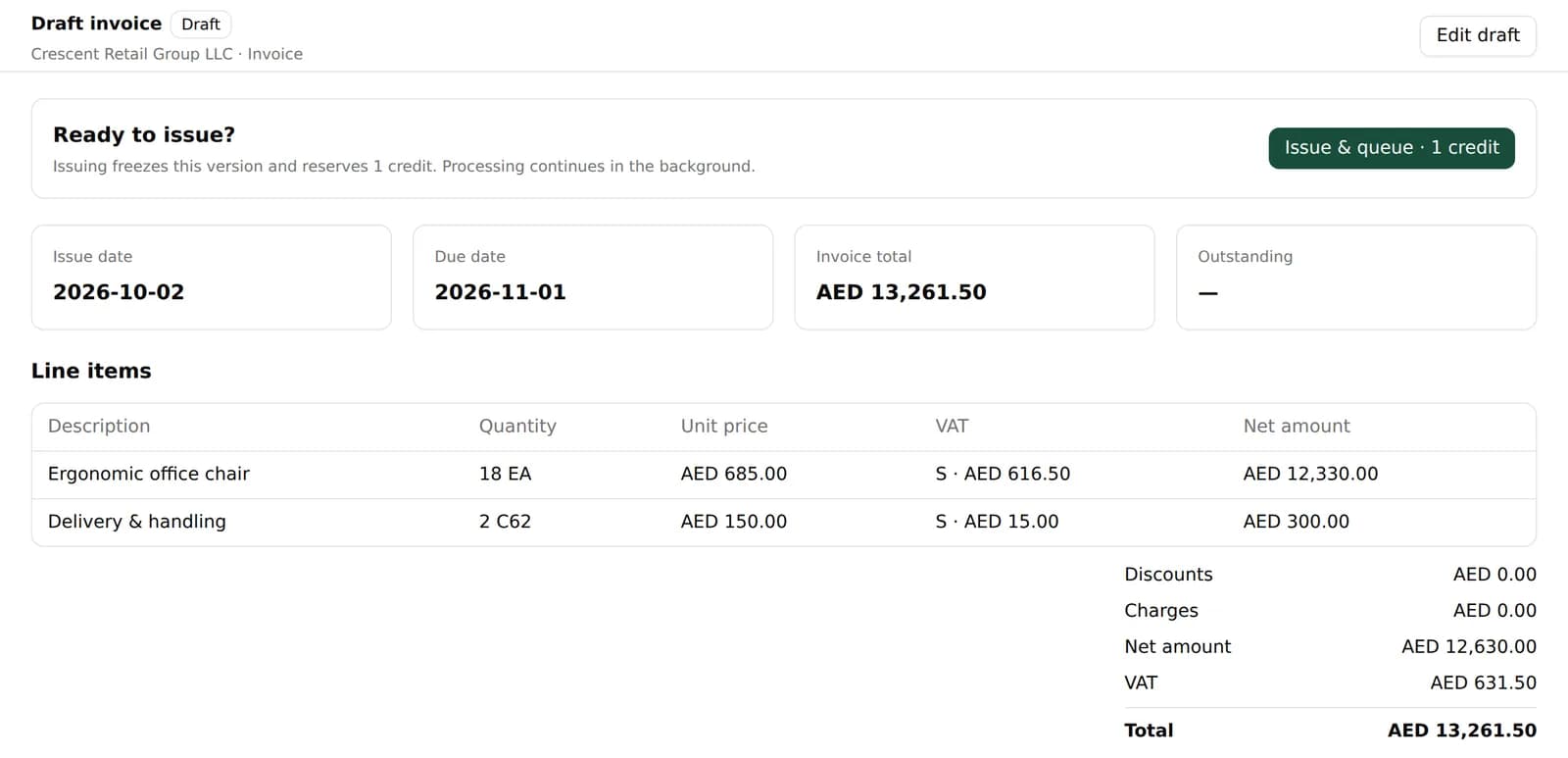
Issuing locks the version, assigns the next number and queues the invoice for your ASP. Your team carries on while it is processed in the background.
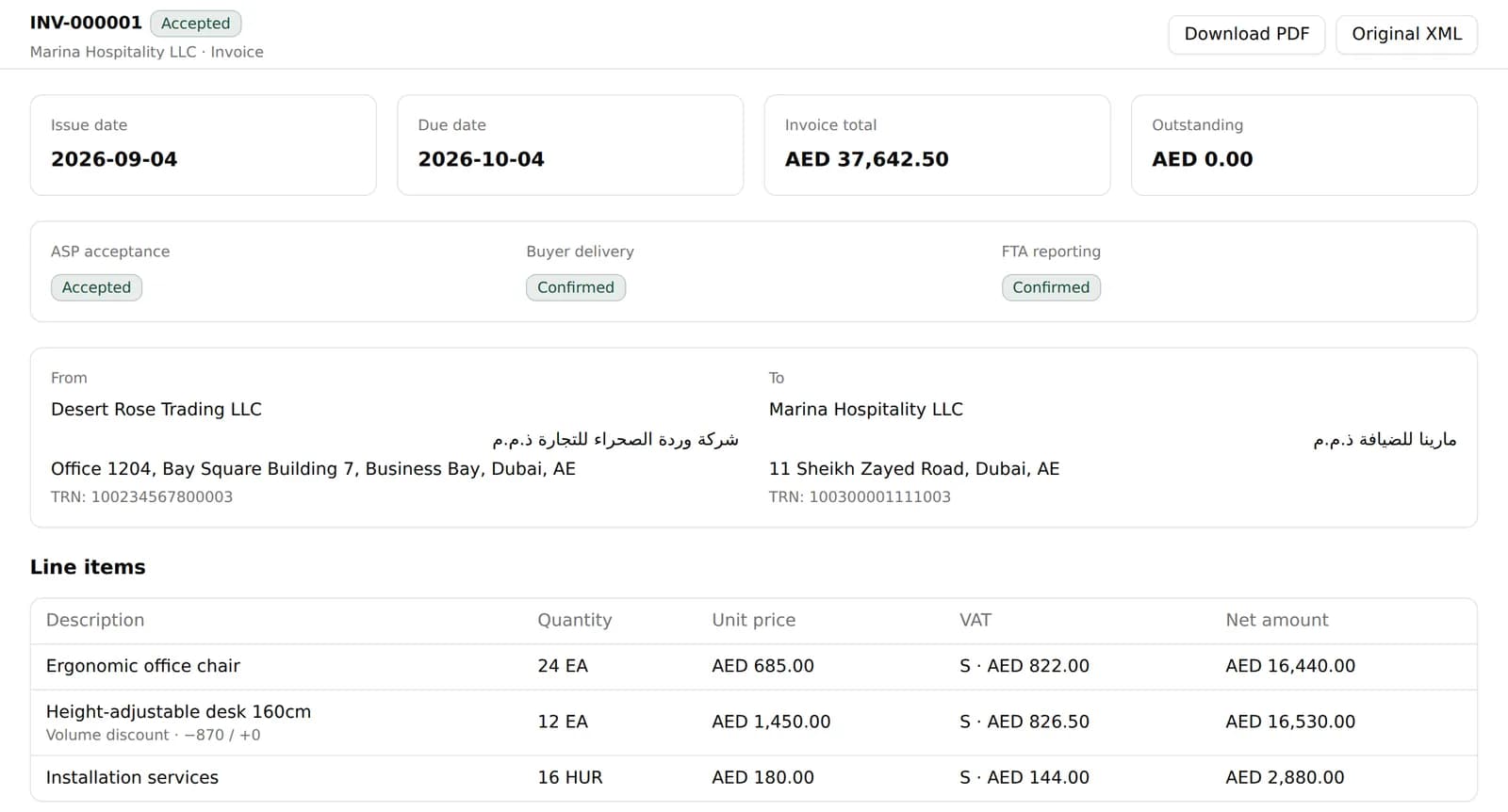
Each stage is recorded separately, so a delivered invoice is never mistaken for a reported one, and an unclear outcome is held for review instead of being sent again.
Invoices addressed to your company come in from your ASP and land in the purchase inbox with the supplier's original intact.
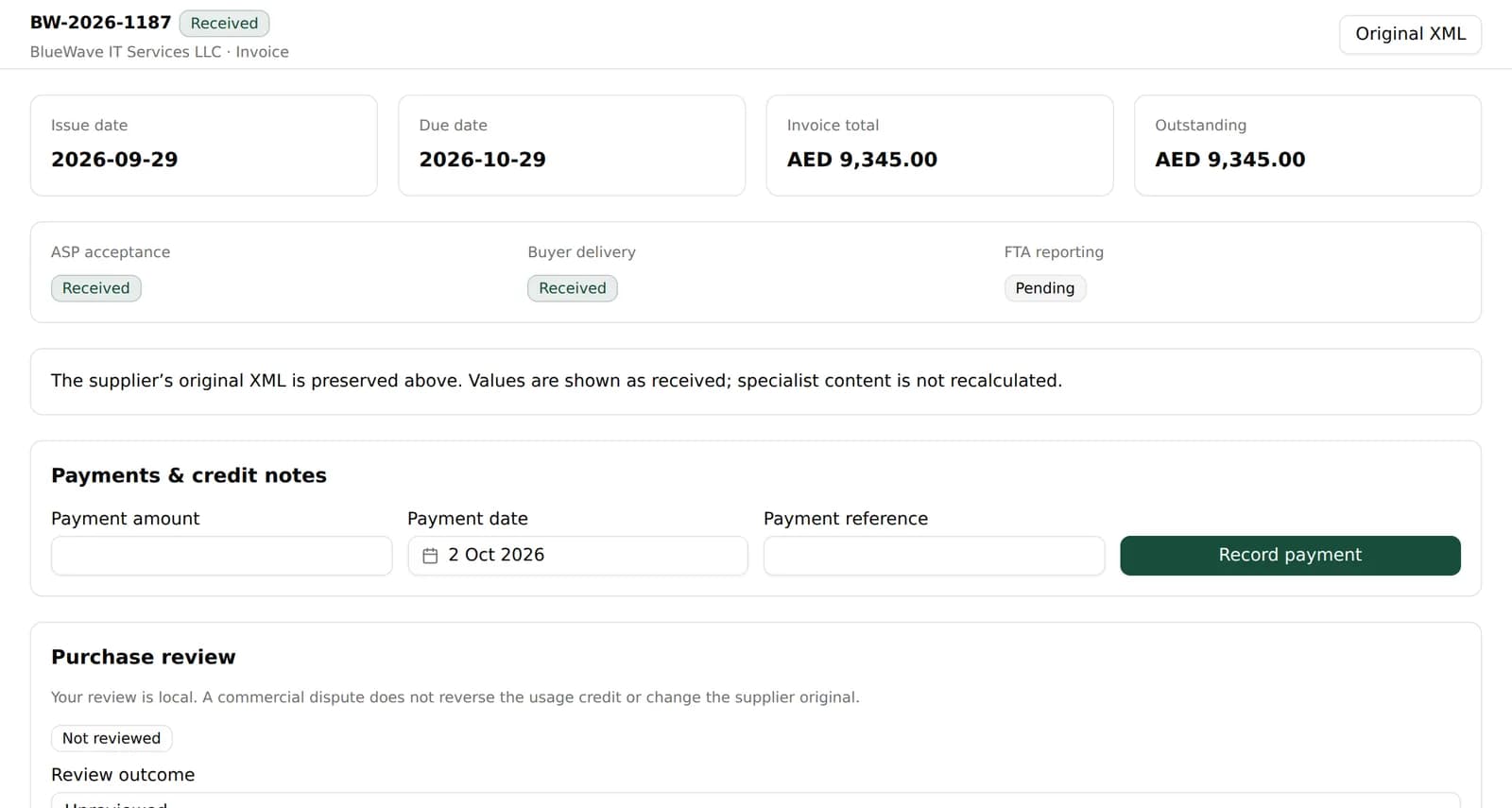
Reports group issued and received invoices by currency, net of credit notes, with outstanding and overdue amounts.
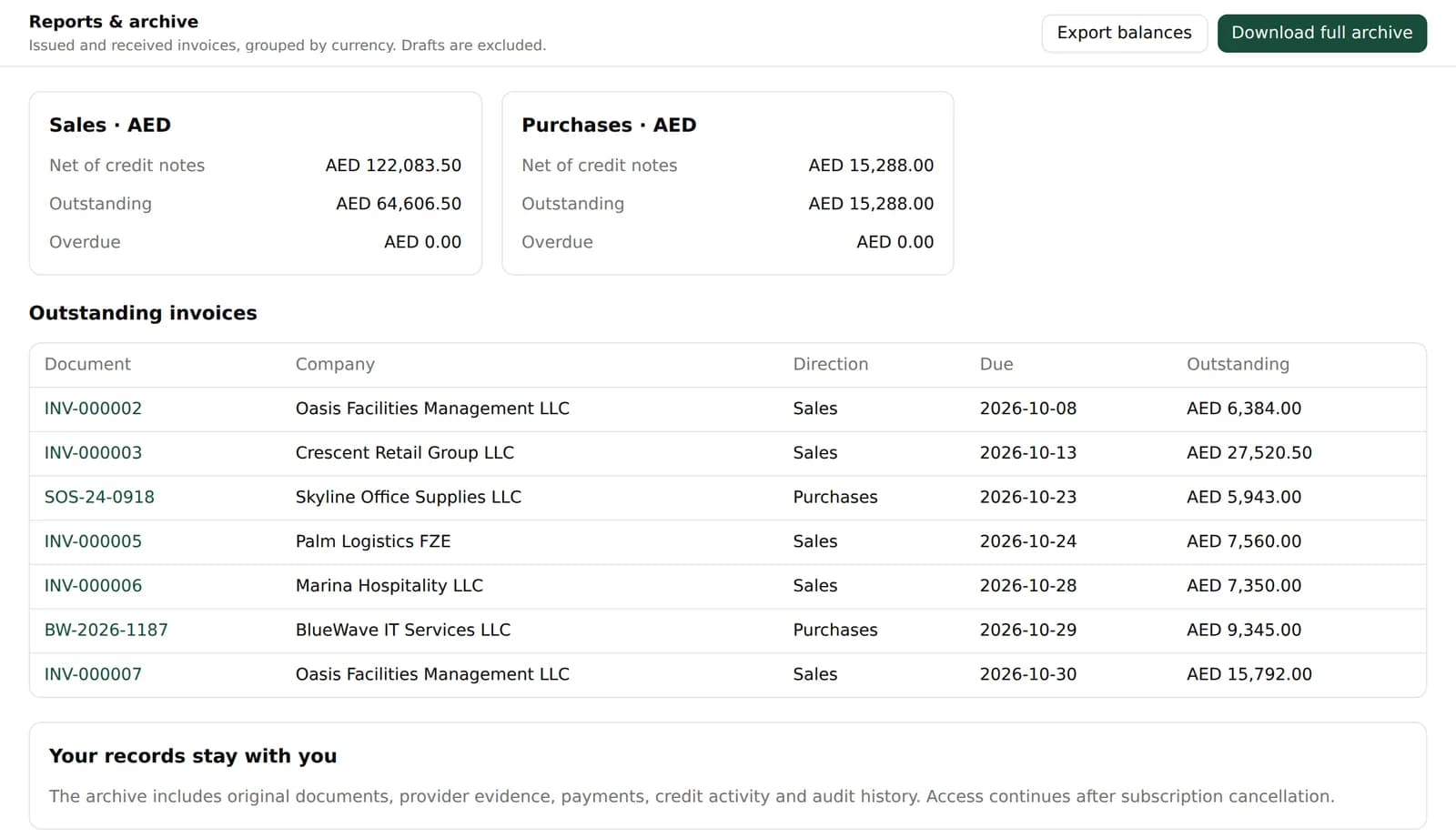
كل اللوحات بالعربية والإنجليزية
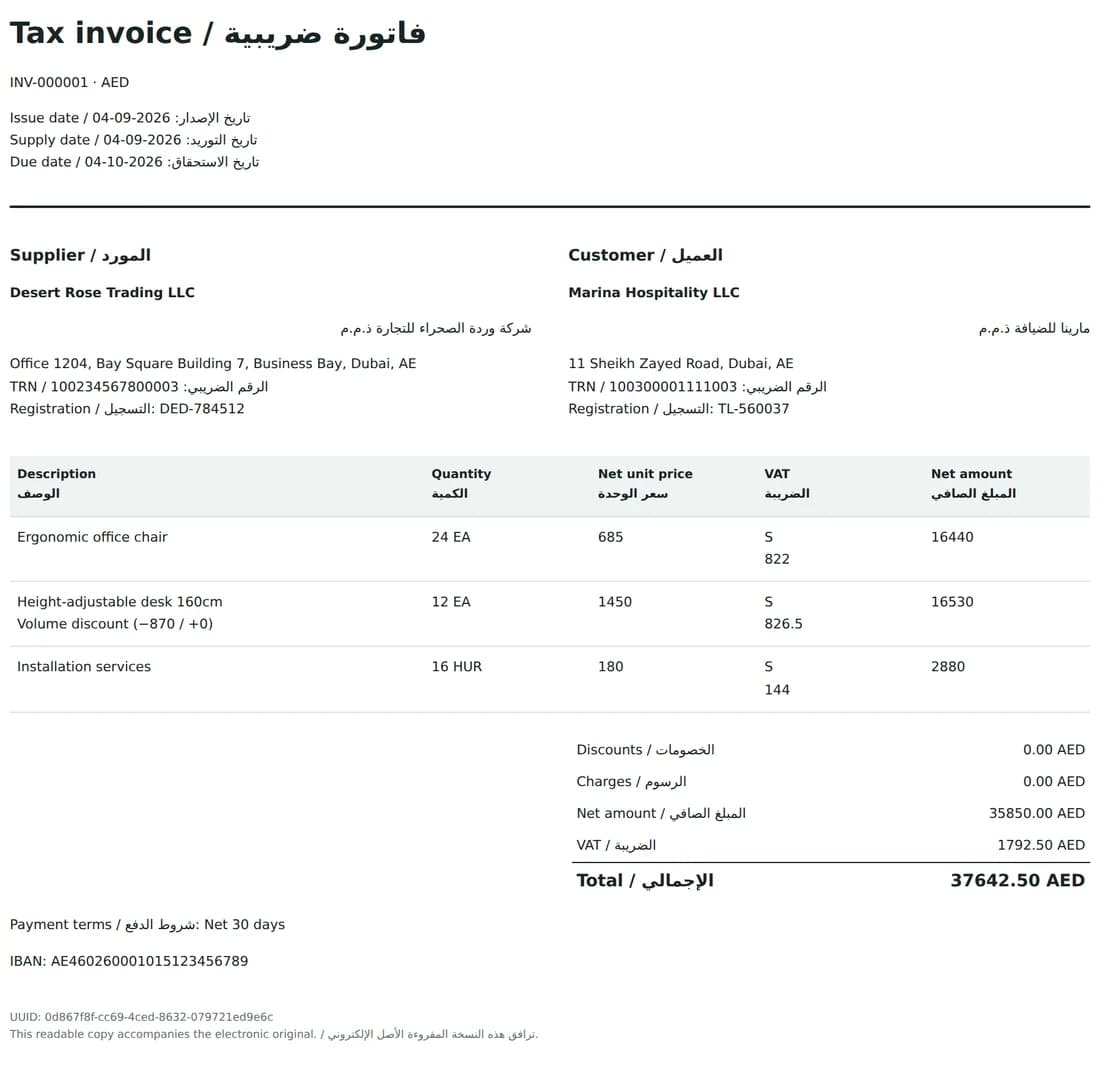
Switch the whole workspace to Arabic with a right-to-left layout. Invoice copies carry both languages, and names appear exactly as your team entered them. Nothing is machine-translated.
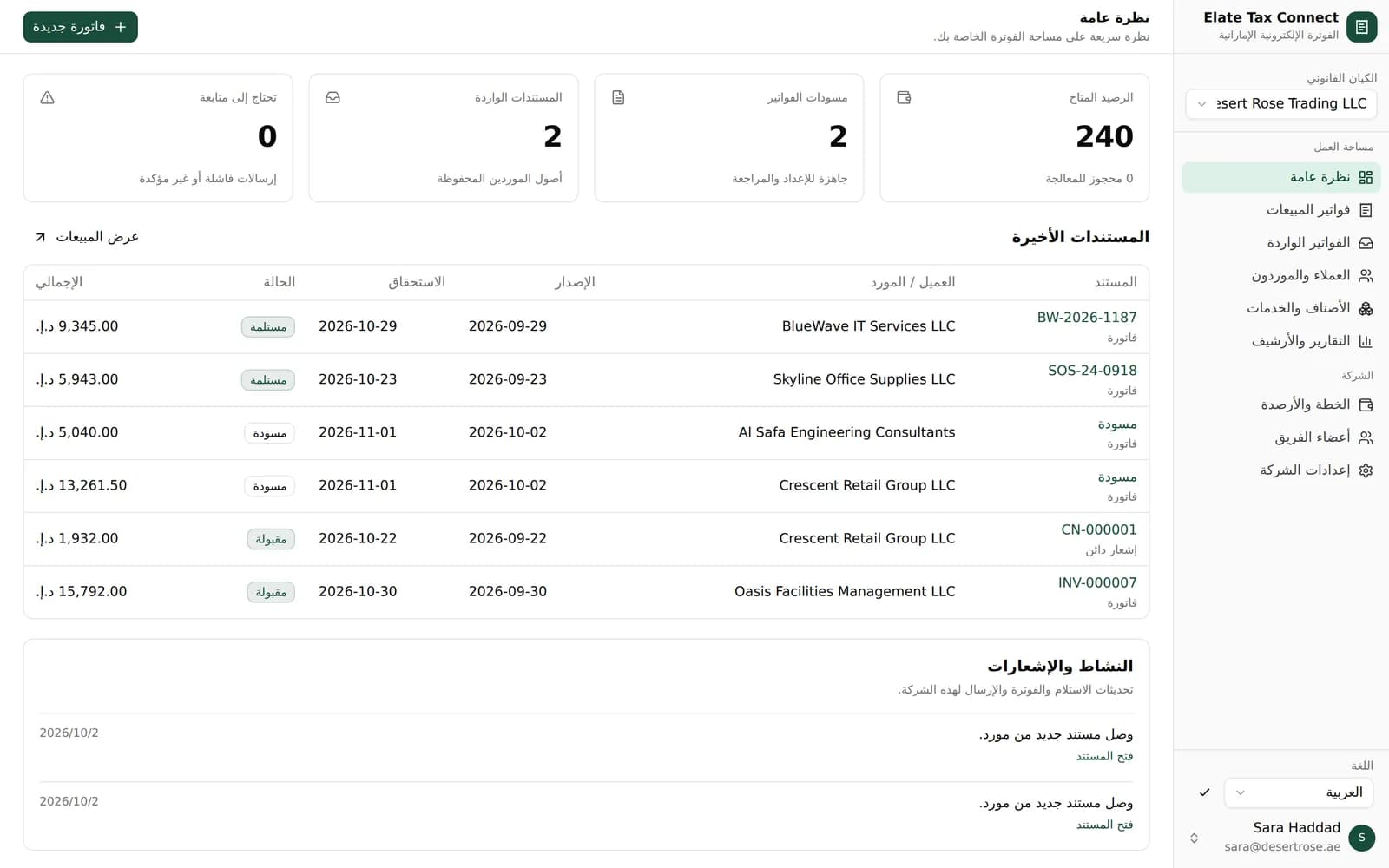
Tax Connect runs on credits. One credit covers one unique invoice or credit note, whether you send it or receive it.
| When this happens | Credits |
|---|---|
| Saving, editing or importing a draft | No credit |
| Importing invoices you issued before joining | No credit |
| Issuing an invoice or credit note | 1 credit reserved |
| Your ASP accepts it | Credit used |
| Your ASP rejects it before acceptance | Credit returned |
| A retry or a duplicate delivery | No credit |
| Receiving a unique supplier invoice or credit note | 1 credit |
Tax Connect covers ordinary business invoicing. We review the invoice types you need during onboarding, before you commit.
Tax Connect handles e-invoicing, not bookkeeping: it has no general ledger, bank reconciliation, inventory or VAT return. Keep your accounting software and use Tax Connect alongside it.
Invite your team with one of four roles. Each company keeps its own users, numbering, credits and records.
| Role | What they can do |
|---|---|
| Owner | Company settings, users, subscription and every invoice action |
| Billing manager | Issue invoices and credit notes, manage purchases and record payments |
| Preparer | Maintain customers and items and prepare drafts, without issuing |
| Viewer | View and export records |
See Tax Connect with your own invoice types. If it fits, Penieltech sets up your workspace with you.
We create your workspace and verify your company and tax details.
We connect Tax Connect to the accredited service provider you appoint.
Import customers and items, then run sample invoices together.
Your team issues and receives real e-invoices.
Elate Tax Connect is Penieltech's e-invoicing software for UAE businesses. It creates and validates invoices and credit notes, sends them through your accredited service provider, receives supplier invoices, and records acceptance, delivery, FTA reporting and payment for each document.
Yes. UAE e-invoices are exchanged and reported through accredited service providers. Tax Connect prepares and checks each invoice and sends it through the ASP your business appoints. Penieltech helps set up that connection during onboarding.
No. Tax Connect has no general ledger, bank reconciliation, inventory or VAT return. Keep your accounting system and create invoices in Tax Connect, or import them from a CSV or Excel file.
Monthly plans in AED include a credit allowance, and top-up credits never expire. One credit covers one unique invoice or credit note sent or received; drafts, retries and duplicates are free. Contact us for current plans.
Businesses with revenue of AED 50 million or more must appoint an ASP by 30 October 2026. Businesses below AED 50 million have until 31 March 2027.
Yes. The whole workspace can switch to Arabic with a right-to-left layout, and PDF copies carry English and Arabic labels.
Cancellation takes effect at the end of the paid month. New outgoing invoices pause, but your history, exports and incoming supplier invoices stay available.
Yes. A user can belong to several legal entities, and each keeps its own users, invoice numbering, credits and records.

We work with our global presence and keep our advice practical, response times reasonable, and provide solutions that are aligned with the way local companies operate each day.
Deep knowledge of UAE rules and expectations.
Working connections across businesses, sectors, and communities.
We have a local team that answers clearly when something genuinely needs attention.
Our team works from the UAE, supporting companies that keep its economy moving.